Step-by-Step Account Creation Guide
The B9 Game Register process is the first step for new users who want to create an account. The current registration page uses a Pakistani mobile number, password, and agreement confirmation. The platform currently states that registration is free and lists an 18+ eligibility requirement.
Creating an account does not automatically mean you need to deposit money. Registration and wallet transactions are separate steps.
What You Need for Registration
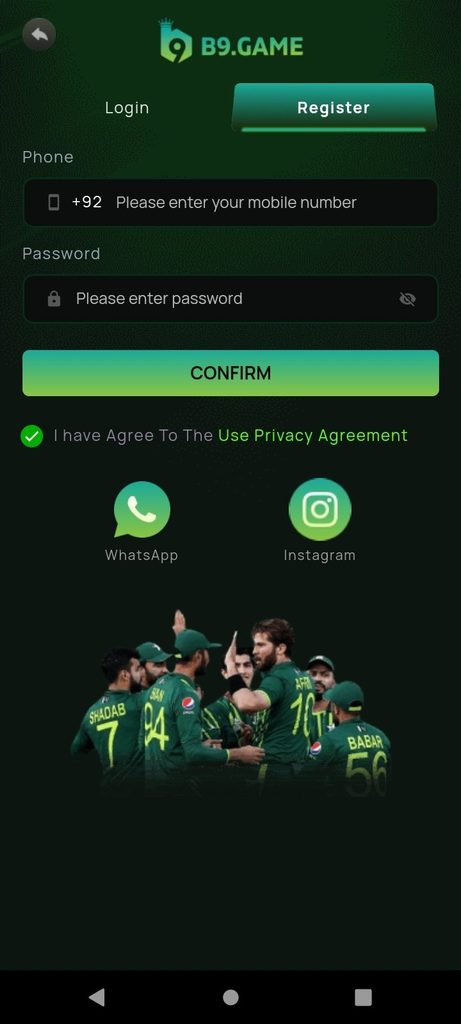
Before starting the signup process, keep the following ready:
- An active Pakistani mobile number
- Access to your phone messages
- A strong account password
- Stable internet
- A compatible device or browser
- Acceptance of the displayed privacy agreement
- Eligibility to use an 18+ gaming service
Your mobile number is important because it can be used for account verification and password recovery.
How to Register on B9 Game
Follow these steps to create your account:
- Open the B9 Game website or application.
- Select Register.
- Enter your Pakistani mobile number.
- Create a secure password.
- Read the displayed privacy agreement.
- Accept the required agreement.
- Tap Confirm.
- Complete any verification requested.
- After successful registration, use your credentials to log in.
The current registration page describes the process as a mobile-number-based signup and asks users to accept the displayed agreement before confirmation.
Enter Your Mobile Number Correctly
The registration form uses the Pakistani +92 country code. Make sure you do not accidentally enter the country code twice.
| Common Problem | What to Do |
|---|---|
| +92 entered twice | Remove the extra country code |
| Missing digit | Re-enter the complete number |
| Number belongs to someone else | Use your own active number |
| Old inactive number | Use a number you currently control |
| Number already registered | Use Login instead |
Using your own active number is important because verification and account recovery can depend on the registered contact information.
Create a Strong Password
Your B9 Game password should not be easy for another person to guess. Avoid simple passwords based on your name, phone number, or birthday.
A stronger password can contain a combination of:
- Uppercase letters
- Lowercase letters
- Numbers
- Special characters
Do not share your password with another person. Also avoid using the same password for your email, banking, and gaming accounts.
What If the Number Is Already Registered?
If B9 Game tells you that the mobile number already exists, do not repeatedly submit the registration form.
Instead, open the Login page and try to access the existing account. If you have forgotten the password, use the password recovery option.
Creating duplicate accounts may also conflict with the rules of a particular platform, so account recovery is preferable to immediately creating another account.
Referral and Invitation Codes
Some B9 services may provide referral or invitation programs. A referral code is different from an OTP.
An OTP is used for verification, while a referral code connects a new account with an invitation or promotional program.
Always read the current conditions before participating in any referral promotion. Do not assume that a promotional reward is automatically withdrawable cash.
Registration Problems
If the registration page does not work, check your internet connection first. Make sure the mobile number is correct and that all required fields have been completed.
If an OTP or verification message does not arrive, wait briefly and use the available resend option if provided.
For account-specific issues, use the platform’s official support channels rather than giving your password or verification code to another person.
Frequently Asked Questions
Is B9 Game registration free?
The current B9 registration page states that registration is free.
What number do I need?
The current registration system uses a Pakistani mobile number with the +92 country code.
Can I register without a referral code?
Referral requirements can vary by service. Check the current registration form and terms.
What should I do if my number is already registered?
Use the Login or password-recovery option instead of creating another account.
Final Thoughts
The B9 Game Register process is designed to be simple: enter your mobile number, create a password, accept the displayed agreement, and complete verification when required. Keep your registration details secure because the registered number may be important for future login and account recovery.